Build Your Personal Website in 2 Hours
Can you really build a personal website in just two hours without any coding experience? With the latest AI programming tools, creating a website has become as simple as chatting. This guide will walk you through the entire process using natural language, enabling anyone to showcase their digital identity.

The Importance of a Personal Website
A personal website serves as a long-term, updatable homepage that allows you to present your experiences and skills in a cohesive manner. Unlike social media platforms or resumes, a personal website can effectively fill the gap by showcasing who you are in your preferred style.
Step One: Choose and Install AI Coding Tools
In our previous beginner’s guide, we used Google AI Studio. Many users have asked for other mainstream AI coding tools. Popular options include Cloud Code, Cursor, Codex, and Trae.
- Cloud Code: Best for command-line users and those with existing projects.
- Trae: Convenient for users in China, suitable for rapid prototyping.
- Cursor: Offers multiple model options from various vendors.
- Codex: Utilizes OpenAI’s model, defined as a coding agent with strong inference capabilities.
Installation processes are similar across tools: download from the official site, register, log in, and recharge your account.
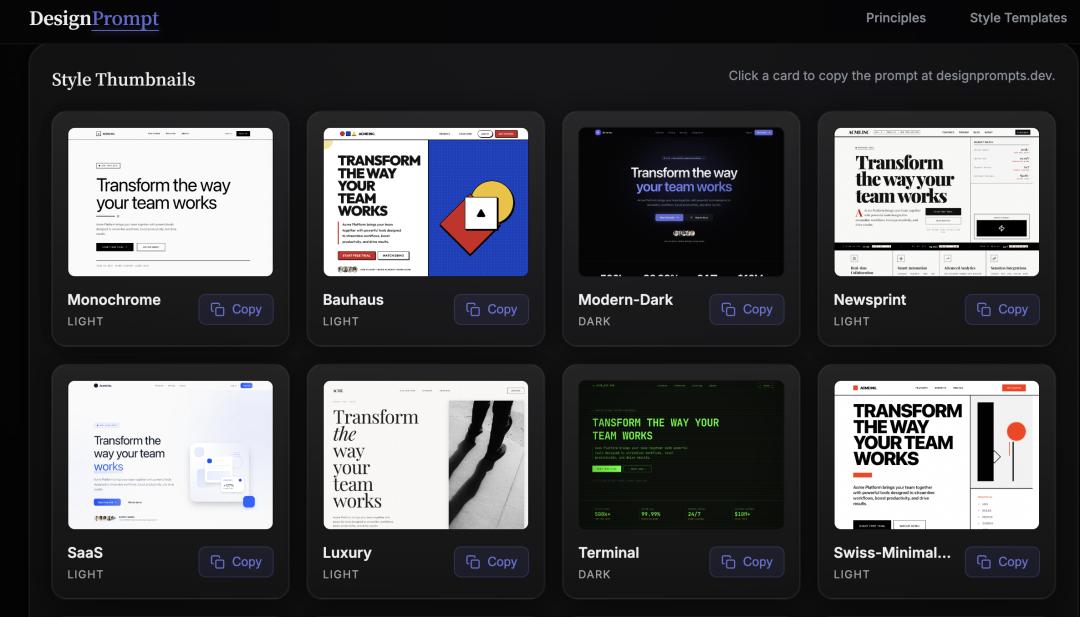
Step Two: DesignPrompt for Website Style
In DesignPrompt, you can choose from various style templates. Each template includes design principles that you can freely copy.
Step Three: Collaborate with Codex to Create Your Website
Before sending commands to Codex, enable Planning Mode in the input box. This allows Codex to confirm your ideas and break down steps before executing them. You can specify the technology stack and receive explanations for each option.

Start a conversation with Codex, telling it you want to create a personal website with specific modules. Paste the style prompt you copied earlier. Codex will generate a plan, which you can confirm before it begins implementation.
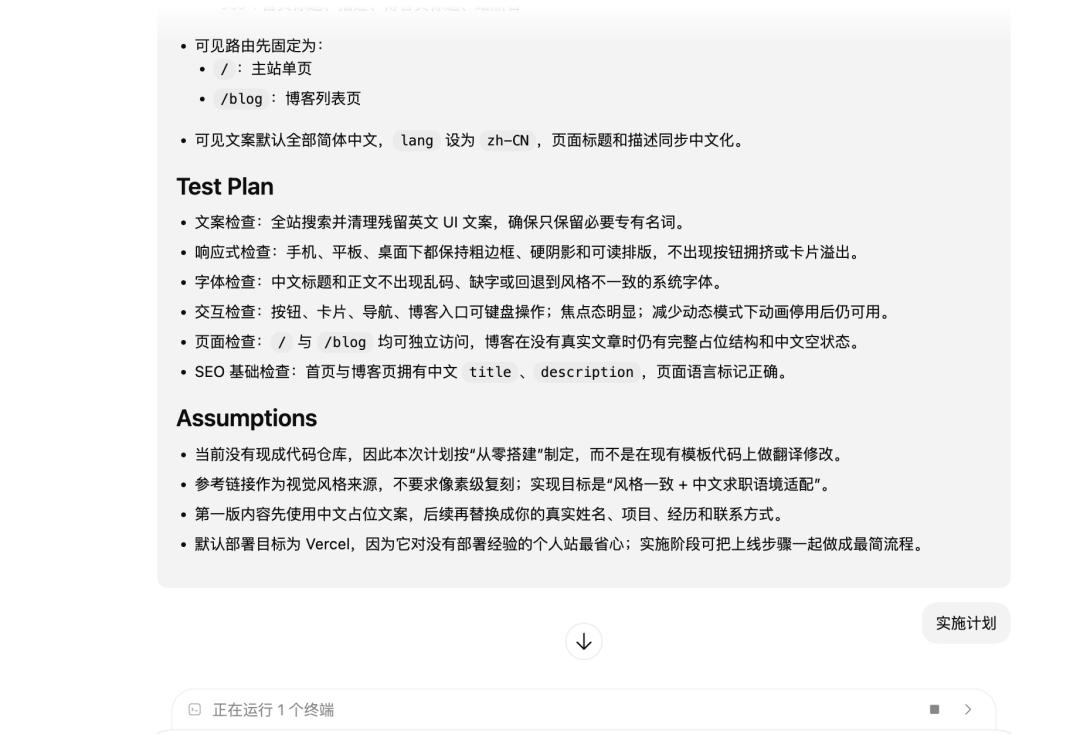
During implementation, Codex checks if the necessary tools are installed. If not, it will pause and ask for your consent. You can multitask while waiting for updates, as Codex will notify you of any interactions or completions.
Once the project is ready, you can preview the website locally. You can provide Codex with screenshots and descriptions of any modifications needed, and it will adjust accordingly.

Step Four: Deploy Your Website
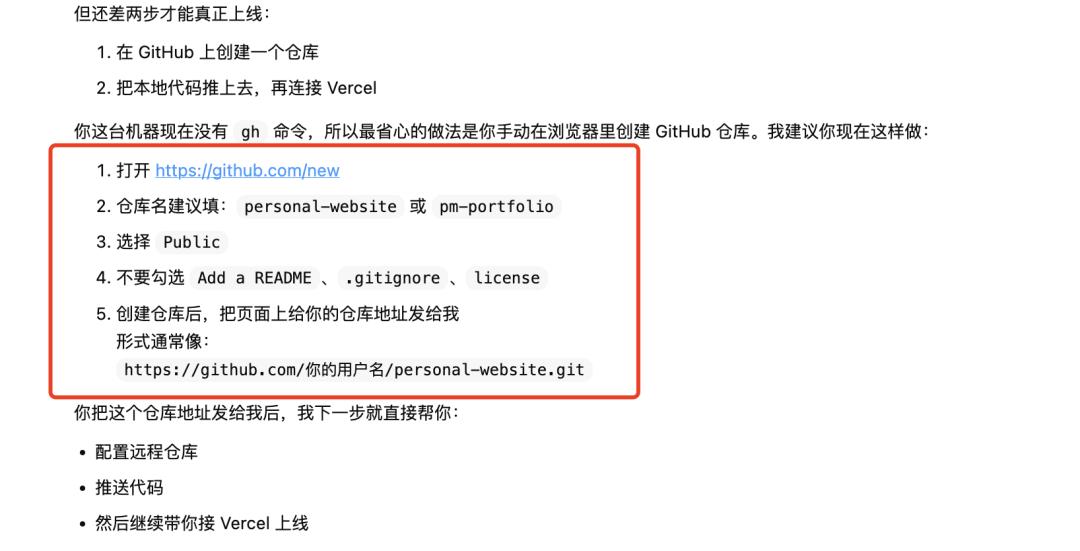
Similar to the previous guide, submit your code to GitHub and then deploy it via Vercel. Ask Codex how to proceed: “Can I deploy the project now? I am a beginner; please suggest the best deployment method.” It will guide you step-by-step.
Step Five: Additional Tips
- After deploying on Vercel, you can continuously update your website’s content and style through Codex.
- Feed your resume or personal information to Codex to help structure your website’s framework and content.
- Vercel URLs are accessible to everyone, but consider purchasing a domain from Alibaba for easier access in China.
- Building a personal website is not just about the final product; it encourages deeper self-reflection and understanding.
Comments
Discussion is powered by Giscus (GitHub Discussions). Add
repo,repoID,category, andcategoryIDunder[params.comments.giscus]inhugo.tomlusing the values from the Giscus setup tool.